Thunderbolt, LUKS and the Dead Keyboard
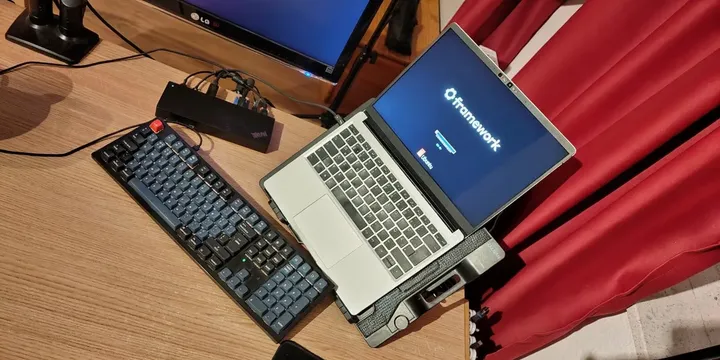
How to fix the 'dead keyboard' issue at the LUKS prompt when using a Thunderbolt dock on a Framework laptop.
I don’t know how long I have had this problem. Probably since I bought my Framework laptop and used a Thunderbolt dock for the first time. Googling didn’t turn up anything useful, but today I have a conversation with Gemini about it. Actually two conversations, one with the fast model and then one with the pro version, where I started by summarizing the outcome of the first conversation, which was not a lot.
I also let Gemini write the first draft of this post…
Thunderbolt, LUKS and the Dead Keyboard
So what is the problem?
Well, I have my hard disk encrypted with LUKS. And I have my keyboard connected to my Thunderbolt 3 dock. And I was never able to enter the LUKS password using my external keyboard. And entering the password using the internal keyboard worked fine, but is hugely inconvenient if the laptop is on a stand with a 45-degree angle.
Curiously, the keyboard worked perfectly in the GRUB menu, and the external screen connected to the dock was active. But the moment the LUKS prompt appeared, the keyboard went dead.
First Attempt: Missing Modules
Gemini first told me to check the modules loaded into the initramfs. I had done this in the past, and it did not help. But now Gemini gave me a concrete list of modules, and I thought this might be worth a try.
My current modules list in /etc/initramfs-tools/modules looked like this:
xhci_pci
xhci_hcd

usbcore
usbhid
hid_generic
Gemini (fast) told me to add thunderbolt, thunderbolt_net and hid_apple to that list.
Strange combination and it had explanations for it (which you can read on the shared chats).
In the end, none of these helped and after having the working solution, I removed them again,
so don’t bother there…
Second Attempt: Checking UEFI/BIOS Settings
It also told me to disable Thunderbolt security settings in the BIOS/UEFI. In the Framework’s BIOS, there are no settings that are named “Thunderbolt,” but Gemini (fast) told me to check to disable the VT-d setting. I don’t know why and what VT-d has to do with it, and it didn’t work. All other settings seemed to be fine.
The Problem: The Kernel Handover
So I turned to the smarter model for help and gave it a summary. I came up with a couple other ideas (including fixing a typo that I added during the first attempt).
Five different ideas, and the last one finally worked.
The issue is a “chicken and egg” problem. In the transition from the BIOS/GRUB (where hardware is initialized simply) to the Linux Kernel, the kernel tries to be secure. By default, it resets the Thunderbolt controller to ensure it starts from a clean, trusted state.
During this reset, the connection to the dock is severed. Since the LUKS prompt
happens within the initramfs (early boot environment), the keyboard doesn’t
“re-connect” in time, or at all, because the drivers or authorizations aren’t
fully established yet.
I edited /etc/default/grub and appended thunderbolt.host_reset=false to the
GRUB_CMDLINE_LINUX_DEFAULT line:
Bash
# /etc/default/grub

GRUB_CMDLINE_LINUX_DEFAULT="quiet splash module_blacklist=hid_sensor_hub
i915.enable_psr=0 thunderbolt.host_reset=false"
Save the file and run sudo update-grub to apply the changes:
Conclusion
- I solved my problem, after two or three years. Which is great.
- I started late using AI, and to this day, I am skeptical that it is a good thing to have something else think for you. We might regret it some day… But it is so much more efficient than googling.
- You can start with a simple question and work your way through to a solution, but at some point it really helps to start over with a summary of the previous chat. Tell the model what you have tried already and what happened. The second chat was really short and solved the problem…
- I didn’t really learn a lot about Thunderbolt, because AI did all the thinking. But I hope I won’t need it in the future.
The main reason for writing this down is to have a reference when I need to re-install my laptop in the future…